
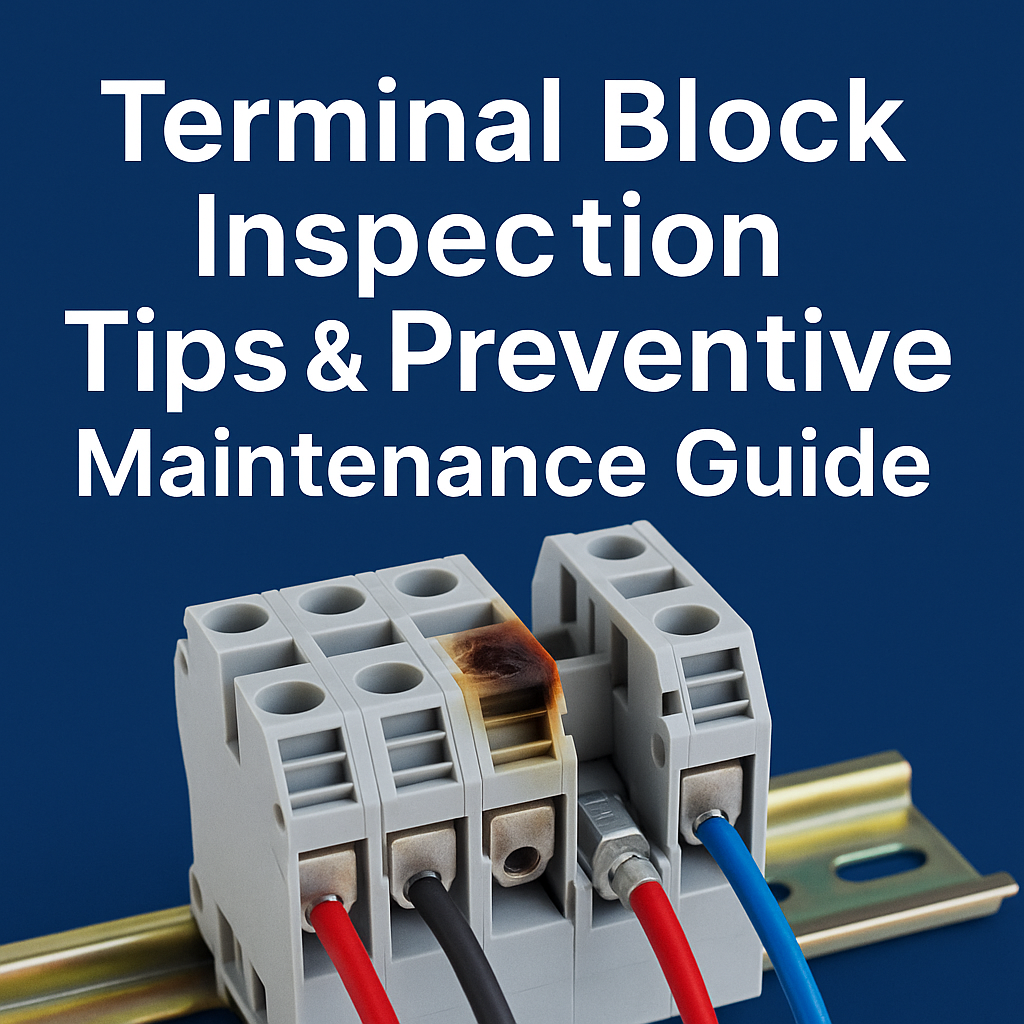
Terminal Block Inspection Tips & Preventive Maintenance Guide
Introduction: Terminal blocks are critical connection points in industrial electrical systems, and their failure can lead to costly downtime or safety hazards. Even high-quality units like CDGKZ DIN rail terminal blocks need regular inspection and preventive maintenance to ensure reliable performance. By learning how to inspect terminal blocks for issues (loose screws, corrosion, overheating) and performing routine upkeep, you can prevent electrical failures and extend the lifespan of these components. This guide covers essential tips for terminal block inspection, maintenance schedules, safety practices, and standards compliance to help avoid unexpected equipment failures and keep your operations running smoothly.
TL;DR
- Inspect regularly: Schedule routine terminal block inspections (e.g. monthly for industrial panels) to catch loose connections, signs of overheating or corrosion early. Regular check-ups prevent small issues from causing big problems or downtime.
- Tighten connections properly: Use a torque screwdriver to tighten terminal block screws to the proper torque (per manufacturer specs) – this avoids loose contacts (overheating risk) or over-tightening damage. Spring clamp (push-in) terminals generally hold tension and need less re-tightening.
- Keep it clean & dry: Ensure terminals are clean and corrosion-free. Remove dust or oxidation periodically (e.g. blow with dry air every few months) and apply anti-corrosion contact grease if needed. Moisture control in enclosures (proper sealing or humidity control) prevents rust and degradation.
- Safe practices & replacement: Always de-energise circuits before maintenance and wear appropriate PPE. Replace any faulty terminal blocks (cracked housing, burnt smell, severe corrosion) promptly – do not wait for complete failure. Following standards like IEC 60947-7-1 and UL 1059 ensures your terminal blocks meet safety and reliability requirements.
Why Regular Terminal Block Inspection Matters
Routine terminal block inspection is crucial for preventing unexpected failures and ensuring electrical safety. Loose connection terminal block hazards are a top concern: when a screw or clamp loosens, the increased resistance generates heat that can lead to overheating, arcing, or even fire. Unlike obvious blown fuses, a loose terminal may not trigger a breaker – it will quietly overheat until insulation melts or a fire starts. By catching and tightening loose connections early, you avert these dangers.
Regular inspections also help avoid unplanned downtime in industrial systems. A single faulty terminal block in a control panel can interrupt sensors, controls, or power distribution, halting production. Preventing downtime with terminal block inspections means scheduling periodic check-ups to catch problems before they escalate. For example, one industry guideline recommends inspecting industrial terminal blocks once a month (and lower-stress home electrical boxes every six months). The optimal interval depends on your environment – high-vibration machines or temperature swings may warrant more frequent check-ups – but consistency is key.
Another reason inspection matters is the early identification of terminal block failure signs. During each check, look for tell-tale signs of terminal block issues like discoloration, a burnt smell, or melted plastic. Any signs of terminal block overheating issues (e.g. brown or black scorch marks) indicate a serious problem that should be addressed immediately by tightening the connection or replacing the component. Corrosion is another silent killer: a whitish or green deposit on metal parts signals oxidation that increases resistance and heat. Spotting these issues in time allows for preventive maintenance – cleaning contacts or swapping out the part – before a complete failure occurs.
Key Takeaways:
– Small issues compound: A loose or corroded terminal can eventually cause major failures (heat damage, fire). Regular DIN rail terminal block maintenance catches these issues early.
– Prevent downtime: Scheduled inspections (monthly or per manufacturer guidelines) help prevent costly downtime by fixing loose connections or other problems before they disrupt operations.
– Safety first: Always power down and verify isolation before touching terminals. Early detection of overheating or damage keeps your facility safe.
Learn more in our article: What is a DIN Rail Terminal Block?
Signs of Faulty or Deteriorating Terminal Blocks
How do you know if a terminal block is failing? Careful visual and physical inspection will reveal most signs of terminal block failure:
- Visual damage: Check if the terminal appears discoloured, burnt, or cracked. Any burn marks, charred insulation, or melted plastic are red flags. Terminal block overheating issues often manifest as a brown or black residue around the connection point or a faint burning smell. A chalky green or white coating on metal parts indicates corrosion which can severely impede conductivity.
- Loose or damaged wires: Gently tug each wire – it should be firmly held. If a wire slips out easily or a screw is visibly loose, that connection has failed mechanically. Vibration or thermal cycling can loosen screws over time. Loose connection hazards include intermittent equipment faults (e.g. flickering indicator lamps) or heating at that point. Also look for frayed conductor strands or wires not fully inserted, which suggest improper installation and potential hot spots.
- Heat and smell: While the power is on (with caution), feel for abnormal heat at each terminal block (or use an infrared thermometer). A terminal running noticeably hotter than others in similar service likely has high resistance – often due to a loose or corroded contact. The smell of burnt plastic or insulation near a terminal strip is an urgent warning of overheating. Never ignore an unusually warm terminal; investigate the cause immediately by tightening the connection or reducing the load.
Beyond visual checks, listen for buzzing or crackling sounds which can indicate arcing at a loose terminal. In critical systems, electrical terminal block troubleshooting may include measuring the voltage drop or resistance across terminals under load – a higher than normal reading can pinpoint a high-resistance joint. If one circuit is intermittently malfunctioning, inspect its terminal connections first, as faulty terminal blocks often cause erratic behavior in equipment.
| Inspection Finding | Description | Recommended Maintenance Action |
|---|---|---|
| Loose Screw Connection | Screw clamp loses tension due to vibration or thermal cycling. |
Tighten using a torque screwdriver according to the specified torque; Check for wire pull-out; ensure conductor fully inserted. |
| Corroded Contacts | White/green oxidation on copper or metal parts caused by humidity, chemicals, or aging. |
Clean using contact cleaner; improve enclosure sealing; Apply anti-oxidation grease if needed; replace if corrosion is severe. |
| Overheating / Burn Marks | Brown/black charring on housing or melted insulation due to high resistance or overload. |
Tighten connection; verify current load; Replace terminal block immediately; check cable size and installation. |
| Cracked Housing | Plastic body cracked due to over-tightening, aging, chemical exposure, or heat stress. |
Replace the terminal block; ensure correct torque usage; Avoid excessive tightening and verify material heat resistance. |
| Loose Wire (Push-in Terminal) | Poor insertion or damaged spring clamp causes wire to slip out. |
Re-insert wire fully; perform pull test; Replace push-in block if internal spring is damaged. |
| Discoloured Copper Strands | Darkened or oxidised conductor indicates heating or aging of copper. |
Trim and re-strip wire; ensure proper tightening; Replace conductor if strands are brittle or burnt. |
| Wire Not Fully Inserted | Exposed conductor or partial insertion increases resistance and heat risk. |
Re-strip wire to correct length; insert fully; Check ferrule crimping quality if used. |
| Overload / Excessive Current | Terminal block heating caused by exceeded current rating. |
Verify load level; upgrade to suitable terminal block rating; Ensure proper cable cross-section. |
For a quick reference during inspections, the table above summarises typical terminal block problems and how to address them. For instance, a loose screw should be re-tightened to the specified torque; corroded contacts should be cleaned and protected; and any cracked or heat-damaged block should be replaced immediately. Proactively replacing damaged terminal blocks is important – do not try to “make do” with a compromised connector. It’s better to incur a short maintenance stop than risk a sudden failure under load.
Key Takeaways:
– Look, feel, smell: Visual cues (burn marks, corrosion), unusual heat, or odour are clear signs of terminal block deterioration. Address these issues promptly.
– Loose equals trouble: Any loose wire or screw is unsafe – tighten it. Loose terminal connections can arc and overheat without tripping breakers, so never ignore them.
– Don’t wait to replace: If a terminal block is cracked, melted, or otherwise faulty, replace it at once. Continuing to use a damaged block invites larger failures.
Related: Types of Terminal Blocks – A Quick Overview
Preventive Maintenance Best Practices for Terminal Blocks
A structured terminal block preventive maintenance routine will significantly extend the life of your connectors and improve electrical reliability. Here are best practices to keep in mind:
- Routine tightening (for screw terminals): One of the simplest yet most important tasks is checking and tightening screw-clamp terminals on a schedule. Over time, vibration and temperature changes can loosen screws, increasing contact resistance and heat. Use the correct screwdriver and tighten each terminal screw to the proper torque recommended by the manufacturer. Avoid over-tightening – too much force can strip threads or crack the terminal body. A torque wrench or torque screwdriver is ideal for consistency. Marking each terminal with its specified torque value (per IEC or manufacturer data) is a good practice. Remember that under-tightening can cause sparks and overheating, while over-tightening can cause mechanical damage.
- Spring (push-in) terminal tips: Push-in terminal block maintenance is generally simpler because these spring-clamp designs are self-tensioning. They do not require periodic re-tightening – the spring maintains constant pressure, even under vibration, making them largely “maintenance-free”. However, you should still include them in inspections: ensure wires are fully seated and no release levers are accidentally unlatched. Give each wire a gentle pull to verify the spring holds it firmly. If a push-in connection was re-terminated, check that the conductor is not nicked or damaged. In severe environments, even spring terminals benefit from the same cleaning and corrosion prevention as screw types.
- Cleaning and corrosion prevention: Keep terminal blocks clean and free of contaminants. Dust and dirt can hold moisture and introduce insulation or corrosion on contact points, leading to higher resistance. During scheduled maintenance (e.g. every 3-6 months), power down and clean terminals by blowing off dust with dry compressed air or wiping with a lint-free cloth. For grimy or oxidised contacts, use an electronics-grade contact cleaner or isopropyl alcohol to gently remove residues. Never use abrasive materials like sandpaper on electrical contacts – scratching the metal can remove protective plating and accelerate corrosion. If terminals are in a humid or corrosive atmosphere, consider applying a thin coat of anti-oxidant conductive grease on metal parts to prevent oxidation. Also ensure enclosure seals, end covers, or dust covers are in place to keep contaminants out; this greatly slows down corrosion and dirt accumulation.
- Environmental control: Industrial terminal block maintenance also involves managing the environment around the terminals. Excessive heat can degrade the plastic housing and loosen connections, while high humidity promotes corrosion. Keep enclosure temperatures within rated limits (usually not above 40 °C for standard terminal blocks) and humidity preferably below ~70% RH. Provide adequate ventilation or cooling for panels with high current loads to dissipate heat. In very humid areas, use enclosure heaters or desiccant packs to avoid condensation. These steps ensure the terminal blocks stay within a friendly environment, reducing stress on the components.
- Safe wiring practices: Proper installation goes hand-in-hand with maintenance. Many terminal block problems are preventable with safe wiring practices from the start. Always strip wire ends to the correct length – too long can expose bare conductor, too short may not clamp securely. For multi-stranded flexible wires under screw terminals, use ferrules or crimped lugs so that the screw clamps down on a solid piece rather than individual strands (which can otherwise splay or loosen). Avoid doubling up wires in one terminal unless the block is rated for it. Ensure each terminal’s wire size and current meet the manufacturer’s specifications; overloading a terminal block can cause overheating even if the connection is tight. By wiring correctly and choosing the right terminal type for the application, you set a solid foundation that makes ongoing maintenance much easier.
In terms of scheduling, align your terminal block maintenance with other equipment service intervals. Many facilities include terminal tightening and cleaning as part of annual shutdown maintenance, but critical or high-load connections should be checked more often. As noted earlier, monthly inspections are advisable for heavy-duty industrial systems. Keep a simple log of each maintenance round – noting date, observations, torque settings, etc. – to track trends. This record can help identify if certain terminals repeatedly come loose (perhaps indicating a vibration issue or undersized connector) so you can take corrective action like using a locking washer or a larger block.
Key Takeaways:
– Tighten to spec: Make sure all screw terminals are tightened to the correct torque – neither too loose nor too tight. Use proper tools and don’t rely on “feel” alone.
– Less fuss with spring clamps: Push-in (spring) terminal blocks resist vibration and typically don’t require re-tightening during maintenance, but still include them in inspections for wire seating and cleanliness.
– Clean and protect: Regularly clean terminals and apply corrosion protection in harsh environments. Keep panels cool and dry to help terminal blocks last longer. A well-maintained terminal stays cool and secure under load, preventing failures.
Ensuring Longevity, Compliance and Safety
High-quality terminal blocks can serve for many years if properly maintained. In this section, we focus on strategies to extend terminal block lifespan, when to replace components, and the role of standards in safety and reliability.
One clear lesson from the field is that proactive maintenance pays off enormously. According to one practical guide, standardised maintenance can extend terminal life by 3–5 times and reduce connection failure rates by 80%. By investing time in inspections and upkeep, you not only avoid sudden breakdowns but also defer replacement costs. However, nothing lasts forever – knowing when to replace terminal blocks is part of good maintenance. If a terminal block shows any of the failure signs described (cracks, heat damage, corrosion that cannot be fully cleaned), or if it has been re-tightened many times over the years, it’s wise to replace it. Most terminal blocks don’t have a hard “expiration date,” but their lifespan is limited by wear and environmental factors. For critical applications, some operators choose to renew terminal blocks after a number of years as preventive replacement, especially if the equipment has major overhauls.
Compliance with standards is another pillar of safe, long-term operation. Industry standards provide guidelines on both product quality and maintenance practices. For example, IEC 60947-7-1 is an international standard specifying requirements for low-voltage industrial terminal blocks (for copper conductors up to 1000 V AC/1500 V DC). It defines tests and performance criteria – such as mechanical strength, electrical integrity, and heat resistance – that terminal blocks must meet. This standard can be used as an inspection guide to ensure your terminal blocks are of industrial grade quality. Likewise, UL 1059 is the safety standard for terminal blocks in North America, used for UL component certification. UL 1059 sets requirements for insulating materials, spacing (creepage and clearance distances), and thermal rise under load, among other things. Ensuring that your terminal blocks are certified to IEC 60947-7-1 and UL 1059 (or equivalent) means they have passed rigorous tests for reliability and safety. It also provides peace of mind that the product can handle rated currents without excessive heating and will maintain secure connections over time. In practice, always source terminal blocks from reputable manufacturers who adhere to these standards – it’s an important preventive measure in itself.
Safe operation protocols should accompany your maintenance routine. Always follow lockout-tagout procedures and disconnect power before working on any electrical connections – terminal block safety tip #1 is to eliminate electrical energy when performing maintenance. Use insulated tools and appropriate personal protective equipment (insulated gloves, safety glasses) especially in high-energy panels. After maintenance or re-wiring, perform functional tests to verify everything is properly reconnected (no open circuits, no wrong connections). Also be mindful of any terminal block accessories that impact safety: end covers to prevent accidental contact with live parts, separators for different potentials, and markers for clear identification. Proper labeling and organisation of terminal strips help technicians avoid mistakes when troubleshooting or adding new connections.
Finally, cultivate a culture of care: train all electricians and maintenance personnel on these terminal block inspection and maintenance practices. Often, failures occur not just from lack of maintenance but from improper handling – for instance, over-tightening a screw “just to be sure” or yanking a wire out without releasing a spring clamp can damage the component. By following the guidelines above and using quality terminal blocks built to standards, you can dramatically reduce the likelihood of connection failures.
Key Takeaways:
– Quality + maintenance = longevity: Invest in high-quality terminal blocks (compliant with IEC/UL standards) and maintain them well – this combination yields a very long service life and trouble-free operation.
– Know when to replace: There’s no shame in replacing a terminal block that’s past its prime. Proactively swap out terminals that are damaged or have seen many years of service to prevent future issues.
– Follow standards and procedures: Adhere to electrical standards (like IEC 60947-7-1, UL 1059) for selecting products, and follow strict safety procedures during maintenance. This ensures both the safety and reliability of your industrial electrical connections.
Further reading: How to Choose the Right Terminal Block for Your Application
FAQ
Q1: How often should you inspect and tighten terminal blocks?
A1: It is recommended to include terminal blocks in your regular maintenance schedule. For critical industrial control panels, inspect and tighten terminal block connections about once a month. In less demanding environments or office settings, a check every 6–12 months may suffice. Always follow the manufacturer’s guidelines if they specify an inspection interval. Factors like constant vibration, large temperature swings, or high current loads might necessitate more frequent inspections. The key is to be proactive – routine check-ups and re-tightening (to the proper torque) prevent loose connections long before they pose a hazard.
Q2: What are the signs of a faulty terminal block that indicate it needs replacement?
A2: Several warning signs suggest a terminal block is faulty or failing: visible damage (cracked or melted plastic, burn marks on the block or wire insulation), discolouration or charring from heat, and any presence of corrosion (green/white residue on metal parts). You might also notice a burning smell or abnormal heat coming from the terminal during operation – a clear indicator of trouble. Electrical symptoms include intermittent circuit behavior (e.g. equipment that flickers or resets) often traced to a loose or high-resistance connection in the terminal. If tightening the screw or re-seating the wire does not resolve heating or if the terminal is physically degraded, it’s time to replace that terminal block. Never ignore these signs – a faulty terminal block can lead to wire burnout, equipment failure, or even fire if left unaddressed.
Q3: Do push-in (spring-clamp) terminal blocks require any maintenance?
A3: Push-in spring terminal blocks are often advertised as “maintenance-free” because their spring mechanism automatically compensates for vibration and strand relaxation, keeping the wire clamped tightly. In practice, they require less maintenance than screw terminals, since you don’t need to periodically re-tighten screws. However, they are not completely hands-off. You should still include them in your routine inspections: ensure no wires have worked loose (a quick tug test on each wire is good practice) and that the spring clamp is free of corrosion or debris. Also, whenever you re-wire or replace a wire in a push-in terminal, use the proper tool to release the spring – do not pull on the wire as that can damage the clamp. Keep the terminal clean and the environment dry, just as you would for screw types. If a spring-clamp terminal block is used within its ratings and kept clean, it will reliably hold connections tight for a long time with minimal maintenance.
Conclusion: Regular terminal block inspection and preventive maintenance should be a standard practice in any industrial electrical maintenance program. By checking for loose connections, tightening screws to the correct torque, cleaning contacts, and replacing ageing parts, you can dramatically reduce the risk of failures, fires, or unplanned downtime. Even the best components benefit from care – a fact acknowledged by leading manufacturers like CDGKZ. As a technical-oriented terminal block manufacturer, CDGKZ not only provides high-quality DIN rail terminal blocks built to IEC and UL standards, but also supports our customers with guidance on proper maintenance and safe wiring practices. Remember, a small time investment in upkeep yields big returns in safety and reliability. If you’re looking to upgrade to premium terminal blocks or need expert advice on maintaining your electrical control systems, contact CDGKZ today. Let us help you keep your operations running strong, safe, and uninterrupted with our quality products and support services.
