
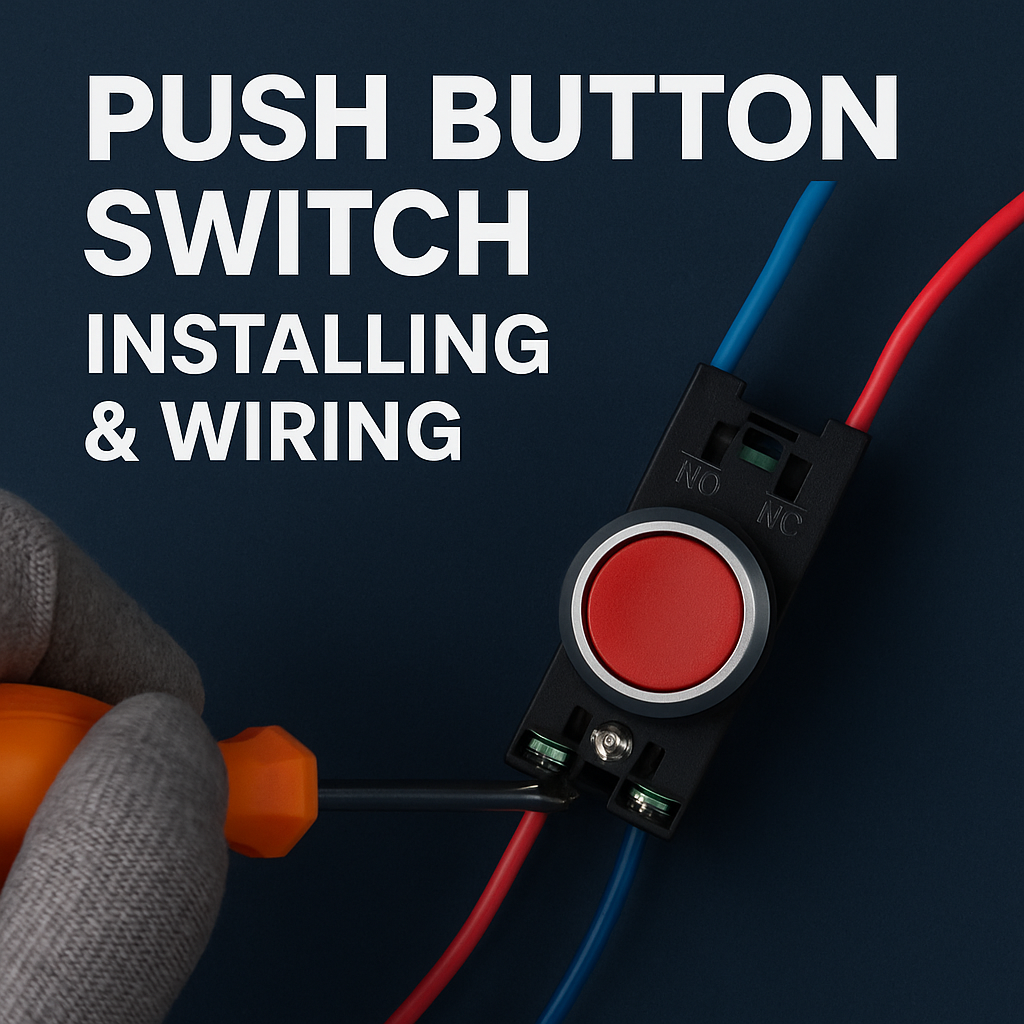
Push Button Switch Installing & Wiring Guide (Step-by-Step)
Installing and wiring a push button switch can be intimidating if you’re unsure about the connections. From figuring out NO (normally open) vs NC (normally closed) contacts to mounting the switch in a control panel, many DIYers and technicians face confusion and safety concerns. This comprehensive push button switch installation tutorial will walk you through push button switch installing & wiring step by step. We’ll cover the basics of contact terminals, panel mounting, wiring diagrams (including start/stop and emergency stop circuits), and best practices to ensure a safe, reliable setup. By the end, you’ll be confident handling everything from a standard start button to an emergency stop button wiring in an industrial control panel. (For example, the “PUSH BUTTOM SWITCH CDGKZ” series of industrial switches is designed for easy installation.)
TL;DR
Identify Contacts: Understand your switch’s terminals – Common (COM), Normally Open (NO), Normally Closed (NC) – and use NO for circuits that close on press, NC for circuits that open on press.
Mount Securely: Drill the correct panel cut-out (e.g. 22.5 mm for standard 22 mm industrial switches), insert the push button, and tighten the locking nut to secure it flush. Always disconnect power before wiring for safety.
Wire Correctly: Connect the COM terminal to your power source or load, then wire NO/NC as needed. For a start-stop push button wiring setup, use a NO push button for Start and an NC push button in series for Stop (forming a classic three-wire control circuit). Follow schematic diagrams and color codes for clarity.
Safety First: For emergency stop switches, always wire the NC contacts in the safety circuit so that pressing the button breaks power. Ensure E-stop buttons are red with a yellow background and latch in when pressed, per standards. Adhere to push button switch wiring standards like ISO 13850 and NFPA 79 for safety compliance.
Troubleshooting: If the device doesn’t start or stop as intended, double-check wiring connections, contact types (NO vs NC), and ensure all wires are secure. Use a multimeter to test continuity on contacts (COM-NO should read closed when pressed, COM-NC should read closed when released). Label wires and follow push button switch wiring best practices (correct wire gauge, tight terminals, proper insulation) to simplify maintenance.
Understanding Push Button Switch Types and Contacts
Push button switches come in various types, but the two core distinctions to know are momentary vs. latching and NO vs. NC contacts. A momentary push button only stays actuated while pressed – once you release it, it returns to its default state (for example, a doorbell or a keyboard key). In contrast, a latching push button (maintained switch) toggles between on and off states – press it once to turn on (it stays in that position), press again to turn off. Momentary switches are common for start/stop controls, while latching types act like on/off power switches in some devices.
Equally important is understanding the contact terminals:
Common (C or COM): This is the main input/output terminal that connects to the power source or the common line of the circuit. Think of it as the middle point that will be connected to either the NO or NC terminal depending on button position.
Normally Open (NO): In its normal state (button unpressed), NO is an open circuit (disconnected). When you press the button, the NO contact closes, allowing current to flow. Use NO contacts for functions like “Start” or “On” – you want no current until the button is pressed.
Normally Closed (NC): In the normal state, NC is a closed circuit. Pressing the button opens the NC contact and stops current flow. NC contacts are used for “Stop” functions or safety circuits – current flows until the button is pressed (e.g., an emergency stop that cuts power when hit).
Many industrial push buttons have one COM and two contacts (one NO, one NC) so they can serve either function as needed. For example, a typical 22 mm industrial push button might be sold as “1NO+1NC” indicating one normally-open and one normally-closed contact block. If the switch has an integrated indicator light (illuminated push button), it will also have extra pins for the LED (often labeled “+” and “–” for the LED’s positive and negative leads). These LED terminals are separate from the main contacts and simply connect to a low-voltage source (e.g., 12 V or 24 V DC) for the indicator light. Make sure to get the polarity right on LED terminals to avoid a no-light issue or LED damage.
Key Takeaways:
Momentary vs Latching: Momentary switches spring back after pressing (temporary action) while latching switches stay in the pressed/on position until pressed again (maintained state)langir.com. Choose the type based on whether you need a momentary signal (e.g., a start pulse) or an on/off toggle.
NO vs NC Functions: Use NO contacts for actions that should occur on button press (energize a circuit when pressed) and NC contacts for actions that should cease on button press (de-energize when pressed). This “default open or closed” behavior is fundamental for designing start/stop and safety circuits.
Terminal Identification: Always check the markings on the switch body or datasheet to identify COM, NO, NC, and LED terminals. Wiring to the wrong terminal (for instance, accidentally using an NC instead of NO) can result in a circuit that is always on or always off, which can be frustrating to troubleshoot.
(Learn more: Push Button Switch Selection Guide – choosing the right type for your application)
Installation Steps for Push Button Switches (Panel Mounting)
Proper installation begins with mounting the push button switch on your control panel or enclosure. Industrial push button switches are typically designed for standard panel cut-out sizes – most common are 22.5 mm cutouts for 22 mm switches (a widely used size in industrial control) and 30.5 mm cutouts for larger 30 mm switches. Always refer to the switch’s datasheet for the required hole diameter. For example, a 22 mm push button usually needs a 22.3 mm or 22.5 mm hole for a snug fit.
Step 1: Prepare the Panel – Mark the mounting location on your panel using a template or calipers. Ensure the location is within easy reach and there’s enough clearance behind for wiring (avoid placing too close to other devices or edges). Drill the hole using an appropriate hole saw or punch. Common sizes are 16 mm, 19 mm, 22.5 mm, etc., depending on your switch. After drilling, deburr the hole’s edges with a file so that the switch sits flush and any panel gasket can seal properly. Removing sharp edges also prevents wire insulation from getting cut during installation.
Step 2: Insert the Switch – Most panel-mount push buttons have a threaded body or retaining tabs. For threaded-body switches, insert the switch from the front of the panel so that the flange or bezel is flat against the panel front. Then reach behind and thread on the locking nut (also called a ring nut) onto the switch’s barrel. Hand-tighten it first. Make sure any alignment tab or anti-rotation notch on the switch (if present) lines up with a notch in the panel hole to keep the switch from spinning.
Step 3: Secure the Switch – Use a proper tool or adjustable wrench to tighten the locking nut firmly. Do not overtighten to the point of cracking any plastic, but ensure it’s snug enough that the switch cannot move if pushed. Many manufacturers specify a torque (for example, 2–3 Nm for 22 mm switches) for the locking nut. If the switch uses a retaining clip or bracket (common in some plastic body switches), secure that accordingly per instructions. The end result should be the push button sitting securely, with its actuator (button) flush or appropriately protruding, and oriented correctly (e.g., if it has labels or an arrow, it’s upright).
Step 4: Attach Contact Blocks – In modular push button designs, the electrical contact block(s) and indicator module (for lit switches) attach to the back of the button assembly, usually by snapping on or via screws. Ensure the contact block for NO/NC is properly seated and locked onto the actuator – this ensures the mechanical motion of the button will correctly press the contact block. It’s often possible to mix and match multiple blocks (for additional contacts) as needed, but for a basic setup with one NO and one NC, you’ll have one block each. Attach any included wiring connectors or jumpers if provided by the manufacturer.
Now your push button is physically installed. Always double-check that the button moves freely (not binding in the panel hole) and that any sealing gasket is in place for water/dust resistance (if applicable, e.g., IP65 rated switches include an O-ring or gasket under the bezel). Additionally, keep in mind ergonomic placement – emergency stop mushroom buttons, for instance, should be located prominently and not recessed, to allow quick access
Key Takeaways:
Proper Hole Size: Drill or punch the correct size hole for your push button (e.g., 22.5 mm for standard 22 mm switches). A precise cut-out ensures the switch seats correctly and the IP rating (if any) is maintained. Use templates or step-drill bits to get an accurate hole.
Secure Mounting: Always secure the switch with its locking nut or bracket from behind the panel. Tighten to the manufacturer’s recommended torque to prevent loosening due to vibration. An improperly mounted switch can rotate or fall out, leading to wiring strain or malfunction.
Panel Thickness & Alignment: Ensure your panel’s thickness is within the switch’s specified range (most can accommodate around 1–6 mm thick panels). Align any anti-rotation features so that labels or symbols on the button face are oriented correctly. A flush, tight installation contributes to both aesthetics and reliability.
(Learn more: Control Panel Assembly Tips – best practices for laying out and installing panel components)

Wiring a Push Button Switch: NO/NC Contacts and Diagrams
With the switch mounted, it’s time to wire the electrical connections. Before starting, always disconnect power to the control circuit and follow lockout/tagout procedures if working in an industrial panel. This cannot be stressed enough: wiring live circuits is dangerous and can damage components. Once it’s safe to work, identify the terminals on your push button switch: typically, you’ll see labels like C (Common), NO, NC, and maybe “+”/“–” for LED. Often these are printed on the switch or molded into the plastic near each terminal.
Basic Wiring Principle: Every push button is essentially a control switch that either makes or breaks a connection. For a simple one-circuit setup, you will run one wire from your power source (or from the load) to the COM terminal, and another wire from the NO or NC terminal to the other side of the circuit. Which contact to use depends on the function:
If you want the button to turn something on (complete a circuit when pressed), wire through the NO contact. For example, to wire a horn button: connect COM to the positive supply, and NO to the horn device input; pressing the button closes the NO contact and energizes the horn.
If you want the button to turn something off or act as an emergency cutoff, wire through the NC contact. For instance, in a stop circuit, COM could be coming from the power source and NC goes out to a coil or circuit – as long as the NC is closed, current flows. When the button is pressed, NC opens and cuts the current, stopping the device.
Start-Stop Circuit Example: A classic industrial start/stop control circuit uses two push buttons: a NO Start button and an NC Stop button. The Start button is wired such that pressing it energizes a relay or contactor coil, which then latches itself on via an auxiliary contact (often called a sealing or holding contact). The Stop button is wired in series with that coil’s circuit, so that pressing Stop breaks the circuit and de-energizes the coil. Concretely, the wiring would be: power source -> Stop button NC -> coil COM; coil other side -> neutral/return. Meanwhile, the Start NO button is wired from power source -> Start NO -> to the coil as well, in parallel with a holding contact on the relay. This way, pressing Start momentarily bypasses the NC stop and energizes the coil; the coil’s auxiliary NO then closes to maintain power. Pressing Stop breaks the circuit and drops the coil out, requiring Start to be pressed again to restart. (This is referred to as a “three-wire control” circuit in motor controls.) The key here is understanding how NO and NC buttons work together: the NC stop provides a path for current until opened. The NO start provides a path only when pressed (and is then sustained by the auxiliary contact).
Wiring an Illuminated Push Button: If your push button has an indicator light, you will have additional terminals for the lamp. Typically these are an LED that needs a low-voltage DC supply. Wire the LED “+” terminal to the positive of a DC supply (often the same control voltage, e.g. 24 V DC) and the “–” terminal to the 0 V/common. In many cases, you might tie the LED’s negative to the common return of your control circuit. Some illuminated switches allow the LED to be wired such that it’s only on when the button is pressed (by wiring the LED’s positive to the output of the NO contact or to the coil it controls). Decide whether you want the LED as a power indicator (always on when panel is powered) or an active indicator (on only when the circuit is active) and wire accordingly. Always verify the LED voltage rating matches your supply (12 V LED on 24 V supply will burn out without a resistor, for example). And remember LED polarity matters: if you connect it backwards, it won’t light.
Wire Color Coding: For clarity and maintenance, it’s good practice to follow standard wire color codes for control wiring. For example, one convention for a 24 V DC control circuit is: Red for +24 V supply lines (often to COM on push buttons), Black for switched outputs (from NO contacts to loads), Blue for indicator lamp positive, White for indicator lamp negative/return, and Green or green-yellow for ground (earth). Using consistent colors helps anyone servicing the panel to identify circuits at a glance. Always label the wires too (with ferrule markers or tags) corresponding to the schematic reference.
Key Takeaways:
Follow the Diagram: Always wire according to an electrical schematic or the manufacturer’s wiring diagram. Identify each terminal (COM, NO, NC, +, –) and connect to the correct point in your circuit. If a diagram isn’t provided, sketch one out to avoid mistakes – especially when multiple contacts are involved.
Use Proper Connections: Crimp ferrules or spade connectors to the wire ends for a secure connection to screw terminals (many industrial push buttons use screw clamp terminals). Tighten each terminal screw firmly (typically around 0.5–0.6 Nm for small screws, if specified) to prevent loose wires which can cause intermittency or overheating. Give each wire a gentle tug to ensure it’s secure.
Keep It Organized: Route the wires neatly and avoid sharp bends. If multiple buttons are in a panel, bundle and tie the wires for each switch separately or use wire ducts. Maintain color consistency – e.g., don’t use random colors that might confuse the NO vs NC circuits. Organized wiring not only looks professional but also aids in future troubleshooting.
(Learn more: Reading Wiring Diagrams – how to interpret push button circuit schematics)
Safety Considerations (Emergency Stops & Standards)
Wiring push button switches in industrial settings comes with important safety considerations. Emergency stop (E-stop) buttons are a special category of push button with strict requirements because they are critical for human safety. Unlike regular push buttons, an E-stop must be “fail-safe” – meaning it relies on NC contacts that break a circuit when the button is pressed, so that if anything fails (like a wire coming loose), the machine will stop rather than continue running. Additionally, E-stop buttons latch in the depressed position and require a manual reset (twist or key release) before the machine can be started again
Emergency Stop Wiring: Always wire an emergency stop switch in series with the control circuit it needs to disable. For example, if you have a motor drive or a controller, the E-stop NC contact should be placed in the circuit such that opening it cuts power to the coil or the control enable line. In a simple scenario, imagine a supply line feeding a motor’s starter coil – run that feed through the E-stop NC. Pressing the E-stop opens the circuit immediately, de-energizing the coil and stopping the motor. Many systems use dual-channel E-stop circuits for redundancy, meaning two NC contacts from the E-stop (often a dual-contact E-stop switch) are wired in series with two separate paths to a safety relay or controller. This way, even if one contact fails, the second will open and stop the machine. Always test the E-stop after wiring: power up the system, activate the E-stop and verify that everything ceases motion, and that it cannot restart without resetting the E-stop and then pressing the Start butto. Regular testing of E-stops is mandated in many safety standards.
Standards and Color Codes: There are international standards defining how emergency stop devices should look and operate. ISO 13850 and IEC 60204-1 (along with EN 60947-5-5 in Europe) require E-stop actuators to be red in color with a yellow background plate for visibility. In fact, NFPA 79 (the Electrical Standard for Industrial Machinery) explicitly states that the red/yellow combination is reserved exclusively for emergency stop applications. The button must be a mushroom-head type that is easy to hit quickly. These standards also dictate the mechanical latching – once pressed, the E-stop stays engaged until deliberately reset, preventing any “teasing” or partial activation. When wiring an E-stop, ensure it’s installed in a readily accessible location and not obstructed. Also, use appropriate gauge wire and route it cleanly; some safety circuits require monitoring by safety relays that detect wire breaks (this is common in dual-channel setups where a safety relay looks for discrepancy between the two NC circuits).
Beyond E-stops, general push button switch safety wiring involves using the correct wire sizes, fuses, and avoiding short circuits. If the push button is controlling a large load (via a relay or contactor), make sure that the relay/contactors are properly rated and that any feedback circuits (like the holding contact in a start/stop) are correctly implemented to prevent accidental restarts. Label all emergency stops clearly on the panel. In many jurisdictions, emergency stop circuits must also meet standards like EN ISO 13850 and EN IEC 60947-5-5, which we’ve discussed, and for functional safety may need to achieve a Performance Level (PL) or Safety Integrity Level (SIL) depending on risk assessment. Always refer to the relevant machinery safety standards for your project to ensure compliance. For instance, compliance with ISO 13850:2015 means the machine must stay in a stopped state once an E-stop is activated until it is manually reset and a separate start command is given – simply resetting the E-stop must not restart the machine automatically.
Other Best Practices: Use safety-rated components for safety circuits – e.g., use emergency stop switches that have “positive opening” NC contacts (designed such that they will break even if welded – required by IEC 60947-5-1 for safety). Route E-stop wiring separately from high-voltage cables to reduce the chance of physical damage or electrical interference. If using PLCs, ensure E-stop wiring is hard-wired (PLCs should not be the primary layer of emergency stop – often they are used only for status monitoring while the actual stop control is hardwired). And of course, always de-energize the control panel when making wiring changes – use lockout/tagout so no one inadvertently re-applies power while you work
Key Takeaways:
E-Stop = NC + Latch: Emergency stop push buttons must use NC contacts so that a pressed or broken connection triggers the stopkndele.com. They also latch mechanically when pressed and require a twist/pull to reset – this prevents the machine from restarting until the operator is ready. Never use a NO contact for an E-stop function; it would defeat the fail-safe principle.
Adhere to Standards: Follow color and design standards – red mushroom head on yellow background for E-stops is an international standardliterature.rockwellautomation.comliterature.rockwellautomation.com. NFPA 79, IEC 60204-1, and ISO 13850 all apply to push button emergency stops and general control wiring in machinery. Designing and wiring to these standards not only ensures safety but is often legally required. For example, NFPA 79 also requires that an E-stop’s reset (unlatching) does not by itself restart the equipmentliterature.rockwellautomation.com.
Safe Wiring Practices: Use proper wire terminations (no exposed strands), route cables neatly, and secure them with clamps or cable ties to prevent loosening. If the push button controls safety functions, use redundancies and safety relays as needed. Finally, clearly label every button and its wiring – especially emergency stops – so that anyone servicing the equipment understands the circuit. Good documentation and labeling are part of push button switch wiring best practices and help prevent safety incidents.
(Learn more: Emergency Stop Wiring Guide – detailed tips on E-stop implementation and safety standards)
Troubleshooting and Best Practices for Push Button Wiring
After installation and wiring, you should test your push button switches to ensure they function as intended. Here are some common issues and troubleshooting steps related to push button wiring:
Button Does Nothing (No Action): If pressing the push button doesn’t trigger the intended device, first verify the circuit has power and the device (e.g., relay coil, lamp, motor starter) is functional. Then inspect the wiring – a very common mistake is connecting to the wrong terminal on the switch. For instance, hooking your wires to NC instead of NO will result in a circuit that is always closed until the button is pressed (the opposite behavior of what you wanted). Use a multimeter to check the continuity between COM and the NO terminal – it should read open (infinite resistance) when the button is not pressed and closed (near zero resistance) when pressed. Similarly, COM–NC should read closed when not pressed and open when pressed. If these don’t match, the switch may be faulty or the wrong type. Also check that all screw terminals are tight and no wires have pulled out – loose connections are a frequent cause of intermittent issues or no action.
Device Stays On (Won’t Turn Off): This typically happens if an NC stop button or series circuit is wired incorrectly or bypassed. If you have a Stop button and it isn’t stopping the device, ensure that the Stop button’s NC contact is indeed wired in series with the circuit feeding the device. A wiring error might have inadvertently created a parallel path that bypasses the stop. Also check if the NC contact is actually opening – use the multimeter test as above. If the stop button is physically damaged or the contacts welded shut, it might not break the circuit when pressed (in which case, replace it immediately). For maintained/latching push buttons that won’t turn off, verify that the mechanism is actually toggling the contacts (sometimes these can fail mechanically).
LED Indicator Not Lighting: If your illuminated push button’s LED won’t light up, double-check the LED wiring polarity and voltage. Most indicator LEDs are polarity-sensitive. Try swapping the + and – leads if you suspect a polarity issue. Also measure the voltage across the LED terminals while the circuit is active – it should match the LED’s rated voltage (within tolerance). If not, perhaps the LED is meant to be wired differently (some have built-in resistors for a specific voltage, others don’t). A burnt-out LED module could also be the cause, though less common. Replacement LED lamps or modules are usually available from the manufacturer.
Intermittent or Erratic Operation: If the circuit works sometimes but not always, it could be due to loose wiring, contamination, or faulty contacts. Vibration can loosen terminal screws over time, so re-tighten any suspect connections. Check the push button’s actuator and contacts for dirt, dust, or corrosion (especially in harsh environments); cleaning or replacing the contact block might be necessary if contacts are oxidized or burnt. Use contact cleaner if appropriate. Also, ensure that any moving parts of the switch are not sticking. In environments with a lot of dust or moisture, using IP65/IP67 rated push buttons and protective boots can prevent such issues.
Emergency Stop Troubleshooting: If an E-stop doesn’t stop the machine, treat this as a critical issue. Immediately investigate the wiring: is the E-stop NC contact properly connected in the circuit that it’s supposed to disable? Inspect for any jumpers or overrides that shouldn’t be there. It could also be that the E-stop was wired to only a control input of a PLC but not to the actual power circuit – remember, for safety it should directly cut power (often through a safety relay). If an E-stop cannot stop the equipment, you likely have a compliance issue – refer to the standards and correct the wiring. Conversely, if the machine is off and won’t start even after resetting an E-stop, ensure the E-stop contacts have actually reset (sometimes the button isn’t fully twisted back out) and that all series stop circuits are closed.
Best Practices Recap: Always follow these best practices to minimize troubleshooting needs:
Double-Check Wiring Against Schematics: After wiring, go through each connection with the schematic or wiring diagram in hand. This catches mistakes early before power-on.
Use Correct Wire Gauge: For control circuits, typically 16 AWG is common, or 18–22 AWG for small indicator leadslangir.com. Undersized wires can overheat; oversized wires might not fit terminals well.
Label Everything: Clearly label each wire (using numbered tags or color codes) and label the push buttons on the panel with their function. This makes troubleshooting a year from now (or by someone else) much easier, as they can identify wires without guesswork. Many standards (like NFPA 79) require proper wire numbering and component labeling.
Test Each Function: Once wired, restore power and test each push button’s function carefully. For start/stop circuits, test that the start works and the stop truly stops and that the system doesn’t restart on its own. For E-stops, perform a functional test under safe conditions to ensure the emergency circuit kills power and requires resetkndele.com. Testing should also include verifying indicator lights and any interlocks.
Maintenance: Periodically inspect push button switches in service. Look for physical damage, listen for any inconsistency in the click of the contacts (a mushy feeling might indicate worn contacts), and tighten terminal screws during scheduled maintenance shutdowns. Over time, contacts can wear or carbonize – they might need replacement after many cycles, which is why modular switches have replaceable contact blocks.
Key Takeaways:
Systematic Troubleshooting: If a push button circuit isn’t behaving, break the problem down – verify the button’s electrical behavior with a meter, inspect wiring continuity, and ensure the controlled device itself is operational. Many wiring issues boil down to wrong connections or loose wires, which can be identified with careful checkinglangir.comlangir.com.
Documentation & Labels: Keeping an updated schematic and labels on wires/components is a lifesaver for troubleshooting. It allows you to trace circuits quickly and ensures any future modifications or fixes are done correctly.
Preventive Best Practices: Regularly apply best practices like using proper wire terminations, securing cables, and choosing quality components (e.g., using UL-listed push buttons and following NEC/NFPA guidelines for wiring) to reduce the chance of failureslangir.comlangir.com. A well-executed wiring job will be safer, last longer, and give fewer headaches in the long run.
(Learn more: Electrical Troubleshooting Guide – diagnosing and fixing common control wiring issues)
FAQ
Q1: How do I wire a push button switch (COM, NO, NC terminals)?
A: To wire a basic push button switch, first identify the Common (COM) terminal and the Normally Open (NO) or Normally Closed (NC) terminal. Connect the COM terminal to either your power source or the load (e.g., one side of a lamp, relay coil, etc.). Then connect the other terminal (NO or NC) to the other side of the circuit. Use NO if you want the circuit to activate when the button is pressed (circuit is open until pressed), or use NC if you want the circuit to be normally active and to open (shut off) when the button is pressed. For example, in a simple LED circuit, you could wire COM to the battery positive, and NO to the LED positive lead (with the LED’s negative lead to battery negative) – pressing the button will then complete the circuit and light the LED. Always ensure the power is off while wiring, and follow the schematic provided with the switch if available. Tighten all connections securely and double-check with a multimeter: COM–NO should show continuity (closed) only when the button is pressed, whereas COM–NC should show continuity when the button is released. This confirms the wiring is correct before you apply power.
Q2: What is the difference between a momentary and a latching push button switch?
A: A momentary push button switch only stays in its active state while you are pressing it – as soon as you release it, it returns to its normal state (this is usually due to an internal spring). Momentary switches are used for functions like doorbells, keyboard buttons, or a machine “jog” button, where you only need a temporary signal. For instance, a momentary NO push button will only close the circuit during the press and will open again upon release. On the other hand, a latching (maintained) push button switch changes state when pressed and stays in that state until pressed again (or reset). It effectively works like a toggle: press to turn on (and it stays on after you let go), press again to turn off. An example is a push-on, push-off power switch found in some lamps or appliances. Internally, latching push buttons have a mechanism that locks the button in the pressed position and requires a second press to release it, or they alternate contacts each press. In summary, use momentary switches for transient actions (like start/stop where a relay or circuit holds the state after the press), and use latching switches for on/off functions where the switch itself maintains the state (like an emergency stop that stays latched until reset, or a selector that stays in a given position). Do note that for critical safety functions like emergency stop, the latching is usually mechanical (the button stays down) and requires a twist or key to release, which is a subset of maintained functionality by design.
Q3: How do I wire an emergency stop push button safely?
A: Wiring an emergency stop (E-stop) button requires using its NC (Normally Closed) contacts in the circuit that you want to be able to quickly disconnect. The goal is that pressing the E-stop will immediately remove power from the equipment. The typical method is to wire the E-stop in series with the control power feeding your devices. For example, if you have a contactor or control relay powering a motor, run the supply line that energizes that contactor’s coil through the E-stop’s NC contacts. Under normal conditions the NC contacts are closed, allowing power to flow. When the E-stop is pressed, those contacts open and cut power to the coil, which drops out and cuts power to the motor. In practice, many systems use a safety relay: the E-stop NC contacts are wired into a safety relay which monitors that circuit and will cut power to outputs when the E-stop is triggered. Always follow these safety guidelines: (1) Use all the NC contacts provided – often E-stops have two NC contacts for redundancy (wire both in series to a suitable safety relay or contactor that supports dual-channel E-stop circuits). (2) Never bypass or “jumper out” an E-stop, even temporarily – this creates a dangerous situation. (3) After wiring, test the E-stop: power up the machine, activate the E-stop and verify that everything ceases and that it cannot restart until the E-stop is reset (pulled or twisted back out) and a separate start command is given. (4) Ensure the E-stop is easy to see and reach (red button, yellow background) and that the wiring to it is protected against accidental damage. By wiring the E-stop correctly and per standards (ISO 13850, IEC 60947-5-5, etc.), you create a fail-safe circuit that prioritizes safety – any failure or activation of the E-stop will reliably stop the machine. If you’re unsure, consult an electrician or safety engineer, as E-stop wiring is subject to strict regulations and should be incorporated into a comprehensive safety system (which may include emergency stop relays or safety PLCs for monitoring).
Conclusion
Installing and wiring push button switches correctly is crucial for both the performance and safety of your electrical control systems. By understanding the differences between NO and NC contacts, using the right wiring techniques, and adhering to safety standards, you can confidently tackle everything from a simple start/stop station to an emergency stop setup. Always plan your wiring according to schematics, double-check connections, and follow best practices – such as disconnecting power when working, labeling wires, and testing thoroughly – to avoid costly mistakes or hazards.
At CDGKZ, we offer a wide range of industrial push button switches (from momentary indicators to emergency stop mushrooms) that are designed for easy installation and reliable operation. Our push button switch wiring guide doesn’t end here – feel free to reach out to our technical team for personalized support or recommendations. Contact us for high-quality push button switches and expert advice on your specific application. With the right components and proper wiring, your control panel will be safe, efficient, and built to last. Let us know if you need any assistance or if you’re interested in our latest PUSH BUTTOM SWITCH CDGKZ series – we’re here to help you implement the best solution for your project. Enjoy your now smoothly operating push button system, and stay safe!
Sources:
Daier, “Push Button Switches Made Easy: A Practical Wiring Guide,” explaining COM, NO, NC terminals and wiring fundamentalschinadaier.comchinadaier.com.
Rockwell Automation, “Emergency Stop Push Buttons White Paper,” detailing E-stop standards (red/yellow colors, latching requirements)literature.rockwellautomation.comliterature.rockwellautomation.com.
KNDELE, “Emergency Stop Switch Connection Guide,” emphasizing NC contacts and compliance with ISO 13850 & IEC 60947 for safety circuitskndele.comkndele.com.
Langir Electric, “How to Install Push Buttons on Control Panels,” providing step-by-step panel mounting and wiring best practices (tools, hole sizing, color codes)langir.comlangir.com.
NextPCB, “Start-Stop Circuit Guide,” illustrating a 3-wire start/stop control circuit using NO start and NC stop push buttons with a relaynextpcb.comnextpcb.com.
